Your Media Server on Autopilot: Sonarr, Radarr, and the *arr Stack
troysk
May 19, 2026 · 3 min read
Jellyfin gives you a media server but you still need to get media onto it, and you could download things manually by finding a release and downloading it and moving it to the right folder and waiting for Jellyfin to scan it, or you could automate the entire pipeline so that new episodes appear in your library within minutes of airing without you doing anything at all. This is what the arr stack does and it changed how I think about media forever.
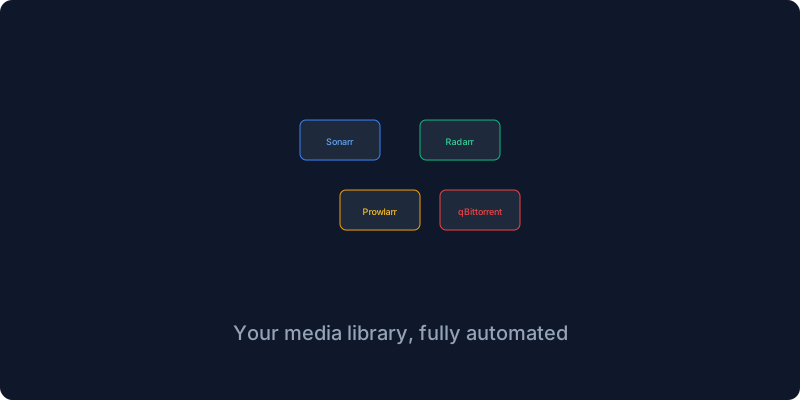
The stack has four main pieces. Sonarr manages TV shows, Radarr manages movies, Prowlarr manages indexers which are the sources that find where things are available, and qBittorrent actually downloads the files. They work together in a pipeline that starts when you add a show and ends with it appearing in your Jellyfin library. You add a show to Sonarr, Sonarr asks Prowlarr for indexers that have it, Prowlarr returns results, Sonarr picks the best quality and sends it to qBittorrent, qBittorrent downloads it, Sonarr watches the download folder and renames the file and moves it to your media folder, and Jellyfin sees the new file and adds it to your library. All of this happens automatically.
The compose file puts all four services together with their config volumes and shared access to the media and downloads directories. The critical detail that took me hours to learn is that Sonarr and Radarr need access to both the media folders and the downloads folder because they need to see the download complete so they can move and rename it. If you put them on different file systems hard links will not work and the import will copy instead of instantly moving, which fills up your disk twice as fast.
Prowlarr is the thing nobody tells you about but it makes everything else work. It aggregates search results from multiple indexers and syncs them automatically to Sonarr and Radarr so you never touch indexer configuration in either tool again. You add your indexers once in Prowlarr, add Sonarr and Radarr as applications, and Prowlarr handles the rest.
Sonarr and Radarr have similar setup flows. You go through the setup wizard, enable the rename feature so files get proper names instead of the gibberish from your download client, add qBittorrent as your download client, set your root folder, and start adding content. The first time I saw a show appear in Jellyfin without me doing anything I felt like a wizard.
Quality profiles are where you tune the stack to your preferences and storage constraints. I use 1080p Bluray for movies and 1080p Web for TV shows because web releases come out faster and are smaller while Bluray is worth it for movies. You can create profiles for 4K Remux if you have the storage and bandwidth or 720p if you are constrained.
The one thing that breaks most often is permissions. If Sonarr downloads a file as the Sonarr user and Jellyfin reads as the Jellyfin user and they have different user IDs, Jellyfin will not see the file. The fix is to set PUID and PGID environment variables on all containers to match your host user ID. I spent four hours debugging this once and you are welcome.
The arr stack is to media what the LAMP stack was to web development, a well-understood opinionated architecture that most people adopt wholesale. Set it up once, tune the quality profiles, add shows, and sit back while your library grows itself.
If you enjoy this content do subscribe to the newsletter for more self-hosting automation guides.
Get New Articles
Weekly guides on self-hosting, privacy, and infrastructure.
No spam. Unsubscribe anytime.