Pi-hole Blocked 25% of My DNS Queries. My Internet Got Faster.
troysk
June 8, 2026 · 3 min read
I thought ad blockers in my browser were enough because I use uBlock Origin and I rarely see ads on my laptop, but then I checked Pi-hole’s stats after a week and discovered that one quarter of all DNS queries from my house were going to ad and tracker domains. Every device in my home, smart TVs and phones and IoT gadgets and things I did not even know were making requests, all of them phoning home to advertising networks and data brokers.
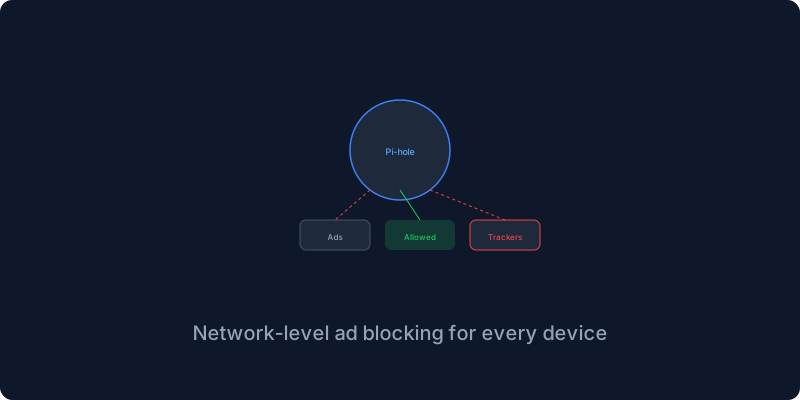
Pi-hole blocks them at the network level so no app can bypass it and no device is left out. Every time a device loads a webpage or an app, it asks a DNS server where a domain is located, and Pi-hole checks that domain against blocklists before resolving it. If the domain is an ad or tracker, Pi-hole returns a black hole IP and the request dies silently. The device does not know it was blocked, it just thinks the ad server is down.
The Docker setup is one of the simplest in the collection. Pi-hole runs in a container with port fifty-three for DNS traffic and a port for the admin interface. You set your timezone and your upstream DNS provider and an admin password, run docker compose up, and open the admin interface at your server’s port. The dashboard shows you total queries and blocked queries and top blocked domains and top clients in real time.
The real magic happens when you point your router at Pi-hole as its DNS server. You log into your router’s settings, find the DHCP or DNS configuration, change the DNS server to your Pi-hole’s IP address, and now every device on your network uses Pi-hole for DNS without any individual configuration. Reboot your router if needed and check Pi-hole’s dashboard to see queries coming in from all your devices.
My first week showed forty-five thousand total queries with eleven thousand blocked, which is twenty-five percent of my internet traffic being garbage. The top blocked domains were doubleclick and google-analytics and facebook, the usual suspects. Removing that garbage made pages load faster, not dramatically but noticeably, and it made me realize how much of the modern web is just surveillance infrastructure dressed up as functionality.
Pi-hole comes with a default blocklist and you can add more through the adlists management page. I use five lists including the Steven Black hosts list and the OISD blocklist, and my block rate went from twenty-five percent to thirty-two percent. Adding too many lists can cause false positives where legitimate content gets blocked, so start with a few and add more gradually.
Smart TVs are the worst offenders because they phone home constantly with usage data and viewing habits and even information about what is connected to your HDMI inputs. Samsung and LG and Xiaomi all do this, and Pi-hole blocks these requests without breaking the TV functionality. The only downside is that some TV apps show fewer ads, which I consider a feature rather than a bug.
Pi-hole is the highest-return self-hosted service I know because it takes five minutes to set up and immediately blocks a quarter of your network traffic. Every device in your house gets ad blocking, even the ones that cannot run a browser extension. This is the way.
Give me your email and I will give you self hosting tips drawn from years of running production servers.
Get New Articles
Weekly guides on self-hosting, privacy, and infrastructure.
No spam. Unsubscribe anytime.