Google Docs but Private: Why I Self-Host CryptPad
troysk
June 3, 2026 · 2 min read
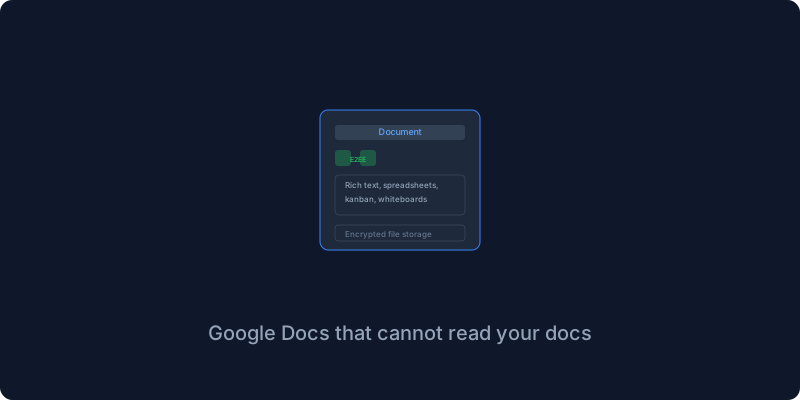
I used Google Docs for everything, meeting notes and project plans and collaborative editing, because it worked great and everyone already had Google accounts. Then I read the terms more carefully and realized Google trains its AI on your content and your documents are scanned and your writing style is analyzed. CryptPad is Google Docs with end-to-end encryption running on your server where the server never sees the content of your documents because everything is encrypted before it leaves your browser.
The encryption model is what sets CryptPad apart from every other collaborative document tool. The server sees encrypted blobs and never has access to the decryption keys. When you share a document with someone they get a key embedded in the URL, and without that key the document is completely unreadable even to the server operator. This is not a promise to respect your privacy, it is a technical guarantee that the server literally cannot read your documents even if it wanted to.
The Docker setup is a single service with volumes for persistent data and blob storage and block storage which are different types of encrypted data that CryptPad uses. You set the HTTP port and address, run docker compose up, open the port, and create a drive. The setup takes about two minutes.
CryptPad includes rich text documents like Google Docs and spreadsheets that are basic but functional and code and Markdown editors for developers and Kanban boards like Trello and collaborative whiteboards and polls and encrypted file storage. Each one is end-to-end encrypted so the content never exists in plain text on the server.
Sharing works through links that contain the encryption key in the hash portion of the URL. Anyone with the link can access the document and anyone without it cannot, and you can set permissions to read-only or edit or password-protected. I share meeting notes with collaborators by sending the link over chat and nobody needs an account or needs to log in.
The encryption has a performance tradeoff because the browser needs to decrypt everything on your machine before rendering it, so large documents with embedded images can be slow. For typical meeting notes and project documentation it is fast enough, and I use CryptPad for day-to-day documents while keeping Google Docs for the rare case where heavy formatting is needed.
Google Docs is convenient but my meeting notes do not need to train anyone’s AI. CryptPad encrypts everything and if that means slightly slower load times I will take it.
If this resonates why not subscribe to the newsletter? I write about privacy and self-hosting.
Get New Articles
Weekly guides on self-hosting, privacy, and infrastructure.
No spam. Unsubscribe anytime.