The email from Mozilla arrived last year telling me Pocket was shutting down and I had some weeks to export my data, and I felt the specific exhaustion of a person who has been through this before, because Google Reader taught a whole generation that a service you build a decade of reading habits around can vanish on a quarterly earnings decision. I exported the file, looked at the thousands of saved articles inside it, and realized the actual problem, which is that I had spent years handing my reading list to companies in exchange for the privilege of losing links to link rot anyway, since Pocket saved the URL and the URL dies.
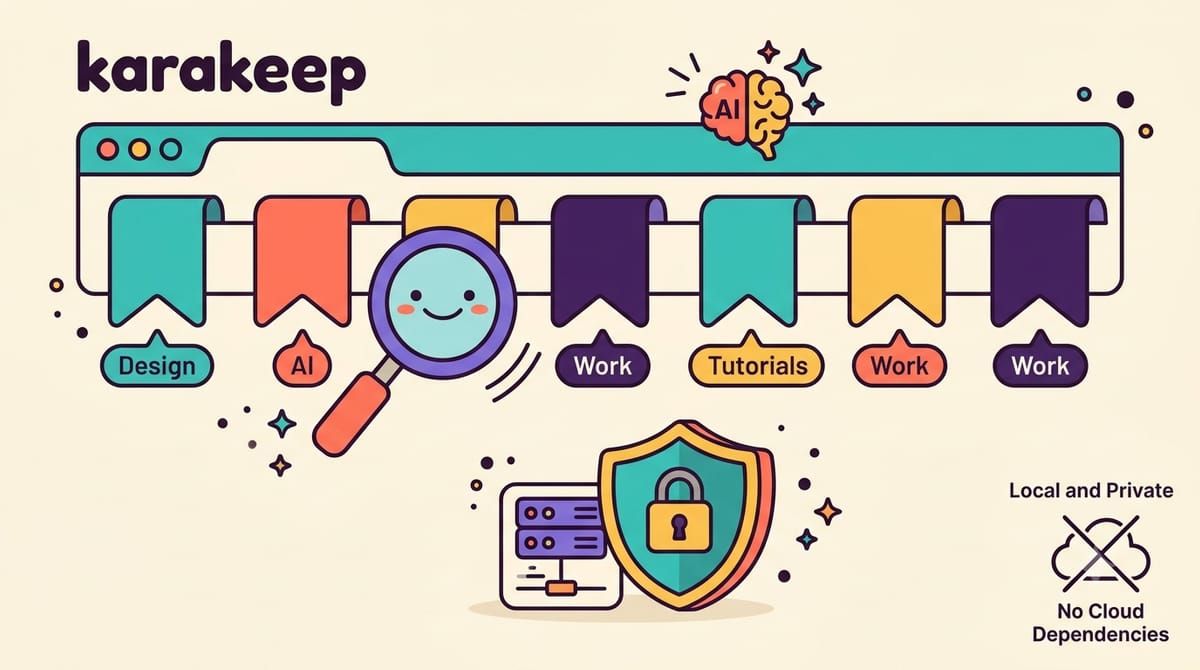
Karakeep, which used to be called Hoarder before the rename, attacks the problem from the other end, a self-hostable bookmark-everything app that saves the page and the image and the PDF, not just the address, twenty-nine thousand stars on GitHub, AGPL licensed, built by a systems engineer who got tired of exactly this. You throw links at it from browser extensions on Chrome and Firefox and Safari, from the iOS and Android share sheets, from an RSS feed, or from a REST API, and it fetches the title and description, stores a full-page archive with monolith so the content survives the link dying, downloads videos with yt-dlp if you ask it to, and runs OCR over images so text inside screenshots becomes searchable.
The AI part is what makes it feel alive, because every bookmark gets automatically tagged by a language model, so the article about home networking lands pre-tagged with networking and tutorial before I have touched it, and tagging stops being the chore that killed every bookmarking system I ever built by hand. You can run that model in the cloud with an OpenAI key or entirely on your own hardware with Ollama, which is the option I took, since my Ollama container was already sitting there running local models for everything else, and the bookmarks get tagged by a model that lives in the same rack as the bookmarks.
Search is the other half, powered by Meilisearch, full-text across everything you saved plus semantic search that finds the article about keeping cameras cool when you type why does my camera overheat, and lists organize things the way folders never quite did, with collaboration so two people can maintain the same reading list. There is a rules engine for automation, highlights for keeping passages, bulk actions for the import backlog, and importers that swallow your Pocket export and Chrome bookmarks and Omnivore data directly, which is how my archive of a decade arrived in one afternoon.
The stack is three containers and an env file, and the compose file from the repository is already wired correctly.
services:
  web:
    image: ghcr.io/karakeep-app/karakeep:release
    restart: unless-stopped
    volumes:
      - data:/data
    ports:
      - "3000:3000"
    env_file:
      - .env
    environment:
      MEILI_ADDR: http://meilisearch:7700
      BROWSER_WEB_URL: http://chrome:9222
      DATA_DIR: /data

  chrome:
    image: ghcr.io/karakeep-app/karakeep-chrome:release
    restart: unless-stopped
    init: true

  meilisearch:
    image: getmeili/meilisearch:v1.41.0
    restart: unless-stopped
    env_file:
      - .env
    environment:
      MEILI_NO_ANALYTICS: "true"
    volumes:
      - meilisearch:/meili_data

volumes:
  meilisearch:
  data:
The web container is the app, the chrome container is a headless browser it drives to crawl the pages you save, and meilisearch is the search index, with all persistent state in the two volumes. The env file needs three things, a NEXTAUTH_SECRET and a MEILI_MASTER_KEY both generated with openssl rand -base64 36, and NEXTAUTH_URL set to the address you will actually browse to, and here is the gotcha that cost me an hour of login redirects going nowhere, NEXTAUTH_URL has to match the public URL exactly, so if you serve it at https://keep.yourdomain.com through Caddy, that exact string goes in the env file, and every time you change it you rerun docker compose up.
For local tagging the env file gains OLLAMA_BASE_URL pointing at your Ollama instance plus INFERENCE_TEXT_MODEL for the model you want, and the same container that answers questions in my homelab started categorizing my reading list with zero new hardware. The crawler is the hungriest part of the stack by far, since headless Chrome wants real memory, so I gave the whole group two gigabytes and it has been comfortable, but this is the one service in my setup I would hesitate to run on a Raspberry Pi.
What I have now is a reading list that behaves like an archive, where saving a page means keeping the page, where the tags sort themselves, and where the export button produces data I could load into anything, because the lesson of Pocket and Reader is that the only reading list you can trust is the one where the exit door is a folder on your own disk.
If your reading list should outlive the apps that hold it, subscribe to the newsletter.