LLM agents have been hot this season, and after being reluctant for a long time I finally installed Hermes on an old MacBook Pro, and it turned out I hardly used it. All I did was say Hi and Yo. When Buzz came out I was quite excited, because I don’t know Jack personally but the guy really understands product and genuinely cares about it, and I feel he is an artist among engineers, so gotta checkout his art. I installed the binary and used it, but I soon realized this was a hosted solution and I wanted something I could selfhost, so this post is my exercise in getting it up and running. This is a less technical post, so I will focus more on getting up and about rather than trying to explain all the things.
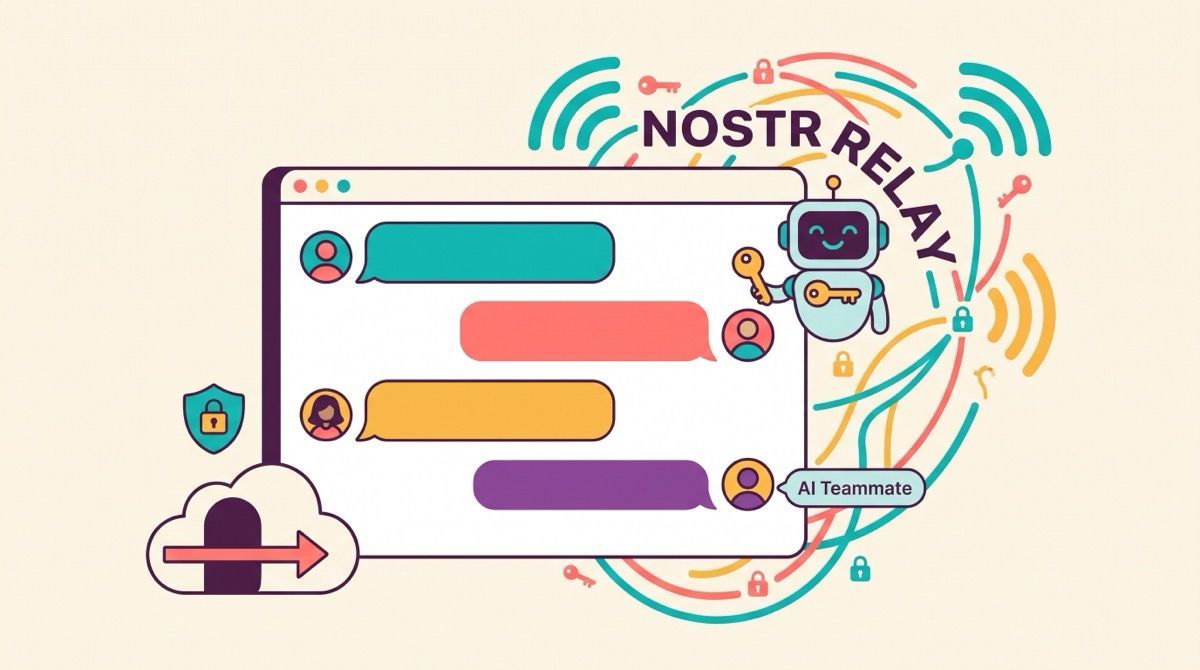
Underneath the chat interface Buzz is a Nostr relay, which reads as either very technical or vaguely blockchain depending on where you have been reading, and what it means in practice is that every message and reaction and workflow step and code review and git event is a signed event appended to one log. People and processes share the same identity model, the same kind of signing key, and the same audit trail, so when an agent reviews a pull request or runs a workflow it behaves like a teammate with its own keypair and its own presence, a member of the room like anyone else, and I have been a fan of the protocol since the Damus days. #Bitcoin ✊
Before you type a single command you need two Nostr keypairs, one for you and one for the relay. You can reuse the key your Buzz Desktop app already created, and if you have installed and connected Buzz like me you will find the public key under Settings → Identity in the app, and that goes into RELAY_OWNER_PUBKEY. If you have not onboarded yet, you can generate one with:
docker run --rm --entrypoint /usr/local/bin/buzz-admin ghcr.io/block/buzz:main generate-keyFor the relay itself, run the same command again to generate a second keypair:
docker run --rm --entrypoint /usr/local/bin/buzz-admin ghcr.io/block/buzz:main generate-keyFrom that second pair, use only the secret key and save it as BUZZ_RELAY_PRIVATE_KEY, and keep both sets of secrets somewhere safe because you will need them to restore the community someday.
name: buzz-prod

services:
  relay:
    image: ${BUZZ_IMAGE:-ghcr.io/block/buzz:main}
    environment:
      BUZZ_BIND_ADDR: 0.0.0.0:3000
      BUZZ_HEALTH_PORT: "8080"
      BUZZ_METRICS_PORT: "9102"
      DATABASE_URL: postgres://${POSTGRES_USER:-buzz}:${POSTGRES_PASSWORD:?set POSTGRES_PASSWORD}@postgres:5432/${POSTGRES_DB:-buzz}
      REDIS_URL: redis://:${REDIS_PASSWORD:?set REDIS_PASSWORD}@redis:6379
      BUZZ_S3_ENDPOINT: http://minio:9000
      # Docker DNS resolves `minio`, not arbitrary `<bucket>.minio` hosts.
      BUZZ_S3_ADDRESSING_STYLE: path
      BUZZ_S3_ACCESS_KEY: ${BUZZ_S3_ACCESS_KEY:?set BUZZ_S3_ACCESS_KEY}
      BUZZ_S3_SECRET_KEY: ${BUZZ_S3_SECRET_KEY:?set BUZZ_S3_SECRET_KEY}
      BUZZ_S3_BUCKET: ${BUZZ_S3_BUCKET:-buzz-media}
      BUZZ_GIT_REPO_PATH: /data/git
      BUZZ_AUTO_MIGRATE: ${BUZZ_AUTO_MIGRATE:-false}
      BUZZ_GIT_CONFORMANCE_PROBE: ${BUZZ_GIT_CONFORMANCE_PROBE:-true}
      BUZZ_DOMAIN: ${BUZZ_DOMAIN}
      RELAY_URL: ${RELAY_URL}
      BUZZ_MEDIA_BASE_URL: ${BUZZ_MEDIA_BASE_URL}
      BUZZ_MEDIA_SERVER_DOMAIN: ${BUZZ_MEDIA_SERVER_DOMAIN}
      BUZZ_CORS_ORIGINS: ${BUZZ_CORS_ORIGINS}
      BUZZ_REQUIRE_AUTH_TOKEN: ${BUZZ_REQUIRE_AUTH_TOKEN}
      BUZZ_REQUIRE_RELAY_MEMBERSHIP: ${BUZZ_REQUIRE_RELAY_MEMBERSHIP}
      BUZZ_ALLOW_NIP_OA_AUTH: ${BUZZ_ALLOW_NIP_OA_AUTH}
      RELAY_OWNER_PUBKEY: ${RELAY_OWNER_PUBKEY}
      BUZZ_RELAY_PRIVATE_KEY: ${BUZZ_RELAY_PRIVATE_KEY}
      BUZZ_GIT_HOOK_HMAC_SECRET: ${BUZZ_GIT_HOOK_HMAC_SECRET}
    ports:
      - "${BUZZ_HTTP_PORT:-3000}:3000"
    volumes:
      - /data/buzz/data/git:/data/git
    depends_on:
      postgres:
        condition: service_healthy
      redis:
        condition: service_healthy
      minio:
        condition: service_healthy
      minio-init:
        condition: service_completed_successfully
    # Probe /_readiness over /dev/tcp because the runtime image has bash but no curl/wget/socat.
    healthcheck:
      test:
        [
          "CMD-SHELL",
          "bash -ec 'exec 3<>/dev/tcp/127.0.0.1/8080; printf \"GET /_readiness HTTP/1.1\\r\\nHost: 127.0.0.1\\r\\nConnection: close\\r\\n\\r\\n\" >&3; grep -q \"200 OK\" <&3'",
        ]
      interval: 10s
      timeout: 3s
      retries: 12
      start_period: 30s
    restart: unless-stopped
    networks:
      - buzz-net

  postgres:
    image: postgres:17-alpine
    environment:
      POSTGRES_DB: ${POSTGRES_DB:-buzz}
      POSTGRES_USER: ${POSTGRES_USER:-buzz}
      POSTGRES_PASSWORD: ${POSTGRES_PASSWORD:?set POSTGRES_PASSWORD}
      PGDATA: /var/lib/postgresql/data/pgdata
    volumes:
      - /data/buzz/data/postgres:/var/lib/postgresql/data
    healthcheck:
      test: ["CMD-SHELL", "pg_isready -U $${POSTGRES_USER} -d $${POSTGRES_DB}"]
      interval: 5s
      timeout: 5s
      retries: 12
      start_period: 10s
    restart: unless-stopped
    networks:
      - buzz-net

  redis:
    image: redis:7-alpine
    command: ["redis-server", "--appendonly", "yes", "--requirepass", "${REDIS_PASSWORD:?set REDIS_PASSWORD}"]
    environment:
      REDIS_PASSWORD: ${REDIS_PASSWORD:?set REDIS_PASSWORD}
    volumes:
      - /data/buzz/data/redis:/data
    healthcheck:
      test: ["CMD-SHELL", "redis-cli -a \"$${REDIS_PASSWORD}\" ping | grep -q PONG"]
      interval: 5s
      timeout: 3s
      retries: 12
      start_period: 5s
    restart: unless-stopped
    networks:
      - buzz-net

  minio:
    image: minio/minio:RELEASE.2025-09-07T16-13-09Z
    command: server /data --console-address ":9001"
    environment:
      MINIO_ROOT_USER: ${BUZZ_S3_ACCESS_KEY:?set BUZZ_S3_ACCESS_KEY}
      MINIO_ROOT_PASSWORD: ${BUZZ_S3_SECRET_KEY:?set BUZZ_S3_SECRET_KEY}
    volumes:
      - /data/buzz/data/minio:/data
    healthcheck:
      test: ["CMD", "curl", "-f", "http://127.0.0.1:9000/minio/health/live"]
      interval: 5s
      timeout: 5s
      retries: 12
      start_period: 10s
    restart: unless-stopped
    networks:
      - buzz-net

  minio-init:
    image: minio/mc:RELEASE.2025-08-13T08-35-41Z
    depends_on:
      minio:
        condition: service_healthy
    environment:
      BUZZ_S3_ACCESS_KEY: ${BUZZ_S3_ACCESS_KEY:?set BUZZ_S3_ACCESS_KEY}
      BUZZ_S3_SECRET_KEY: ${BUZZ_S3_SECRET_KEY:?set BUZZ_S3_SECRET_KEY}
      BUZZ_S3_BUCKET: ${BUZZ_S3_BUCKET:-buzz-media}
    entrypoint: >
      /bin/sh -euc '
        mc alias set local http://minio:9000 "$${BUZZ_S3_ACCESS_KEY}" "$${BUZZ_S3_SECRET_KEY}"
        mc mb --ignore-existing "local/$${BUZZ_S3_BUCKET}"
        mc anonymous set none "local/$${BUZZ_S3_BUCKET}"
      '
    restart: "no"
    networks:
      - buzz-net

  cloudflared:
    image: cloudflare/cloudflared:latest
    container_name: buzz-cloudflared
    restart: unless-stopped
    command: tunnel --config /etc/cloudflared/buzz.yml run buzz
    volumes:
      - /home/troysk/.cloudflared:/etc/cloudflared
    depends_on:
      - relay
    networks:
      - buzz-net

networks:
  buzz-net:
    driver: bridge
    labels:
      com.buzz.network: production
The compose file I use is adapted from the production bundle in the Buzz repository, with the Caddy container that normally terminates HTTPS swapped for cloudflared, because Cloudflare tunnel means no open ports on the machine and no certificate renewal to babysit. The relay runs the published image, its healthcheck hits a readiness endpoint over a raw TCP socket because the runtime image ships bash but no curl, and the whole stack waits on the health checks of Postgres, Redis, and MinIO before the relay comes up, so the startup order is handled for you. The services each need a few secrets of their own, usernames and passwords and API keypairs, and I prefer generating them with openssl:
openssl rand -hex 10I keep the whole deployment under one directory and the compose file reads everything it needs from environment variables, since I skip .env files on production.
BUZZ_DOMAIN=<Your awesome (sub)domain>
RELAY_URL=wss://<Your awesome (sub)domain>
BUZZ_MEDIA_BASE_URL=https://<Your awesome (sub)domain>/media
BUZZ_MEDIA_SERVER_DOMAIN=<Your awesome (sub)domain>
BUZZ_CORS_ORIGINS=https://<Your awesome (sub)domain>
BUZZ_REQUIRE_AUTH_TOKEN=true
BUZZ_REQUIRE_RELAY_MEMBERSHIP=true
BUZZ_ALLOW_NIP_OA_AUTH=true
BUZZ_AUTO_MIGRATE=true
BUZZ_GIT_CONFORMANCE_PROBE=true
RUST_LOG=buzz_relay=info,buzz_db=info,buzz_auth=info,buzz_pubsub=info,tower_http=info
RELAY_OWNER_PUBKEY=<your public key from Settings → Identity>
BUZZ_RELAY_PRIVATE_KEY=<the secret key from the generate-key command>
BUZZ_GIT_HOOK_HMAC_SECRET=<Generate using `openssl rand -hex 32`>
POSTGRES_DB=<Generate using `openssl rand -hex 10`>
POSTGRES_USER=<Generate using `openssl rand -hex 10`>
POSTGRES_PASSWORD=<Generate using `openssl rand -hex 10`>
REDIS_PASSWORD=<Generate using `openssl rand -hex 10`>
BUZZ_S3_ACCESS_KEY=<Generate using `openssl rand -hex 10`>
BUZZ_S3_SECRET_KEY=<Generate using `openssl rand -hex 10`>
BUZZ_S3_BUCKET=buzz-media
BUZZ_S3_ADDRESSING_STYLE=path
BUZZ_HTTP_PORT=3000
CADDY_HTTP_PORT=80
CADDY_HTTPS_PORT=443
POSTGRES_PORT=5432
REDIS_PORT=6379
MINIO_API_PORT=9000
MINIO_CONSOLE_PORT=9001
ADMINER_PORT=8082
PROMETHEUS_PORT=9090
The Cloudflare sidecar is a tunnel named buzz whose configuration lives in ~/.cloudflared and gets mounted into the container, so on the host you log in once, create the tunnel, and point a DNS route at your domain:
cloudflared tunnel login
cloudflared tunnel create buzz
cloudflared tunnel route dns buzz <Your awesome (sub)domain>
Then the configuration file maps the hostname to the relay container over the internal docker network, with a catch-all that returns 404 so nothing else leaks through:
tunnel: buzz
credentials-file: /etc/cloudflared/buzz.json

ingress:
  - hostname: <Your awesome (sub)domain>
    service: http://relay:3000
  - service: http_status:404
The tunnel create step drops a credentials file with a UUID filename into ~/.cloudflared, so please keep that in mind while editing the above file.
One thing to get right before you invite anyone is that RELAY_URL has to match, byte for byte, the address you paste into the desktop app, scheme and port included, because the community is keyed on that exact URL, and changing it later starts you over with an empty community.
Then open Buzz Desktop, join a community, and paste in wss://<Your awesome (sub)domain>, and you are in your own room with the agent provider configured during onboarding.
Buzz is the first tool where agents feel like members of the room, with their own keys and their own audit trail, and because it is a relay you own the whole thing is as private as the hardware you run it on, which is the same reason I self-host everything else.
If you want your team and your agents talking somewhere you actually control, subscribe to the newsletter.