The discovery came while I was showing a friend my setup, feeling appropriately smug, when I opened the backup destination to grab a file and noticed the newest archive was six weeks old. The backup script had not sent me a failure email, because the script had not failed in a way that produces email, an expired access key meant every run died in the first second with a nonzero exit code that went to cron, and cron had been faithfully appending that error to a mailbox on the server that nobody has ever opened, while Uptime Kuma on my dashboard showed a green dot, because the service was up, and the service being up was precisely the problem.
This is the gap between monitoring services and monitoring jobs, and almost everyone runs the first kind and assumes it covers the second. Uptime Kuma checks that a thing is reachable, while the important processes on a server are mostly things that happen and stop, the nightly backup, the certificate renewal, the database dump, the log rotation, and a job that dies silently leaves behind a system that looks exactly like a system where everything worked, which is the most dangerous state a server can be in.
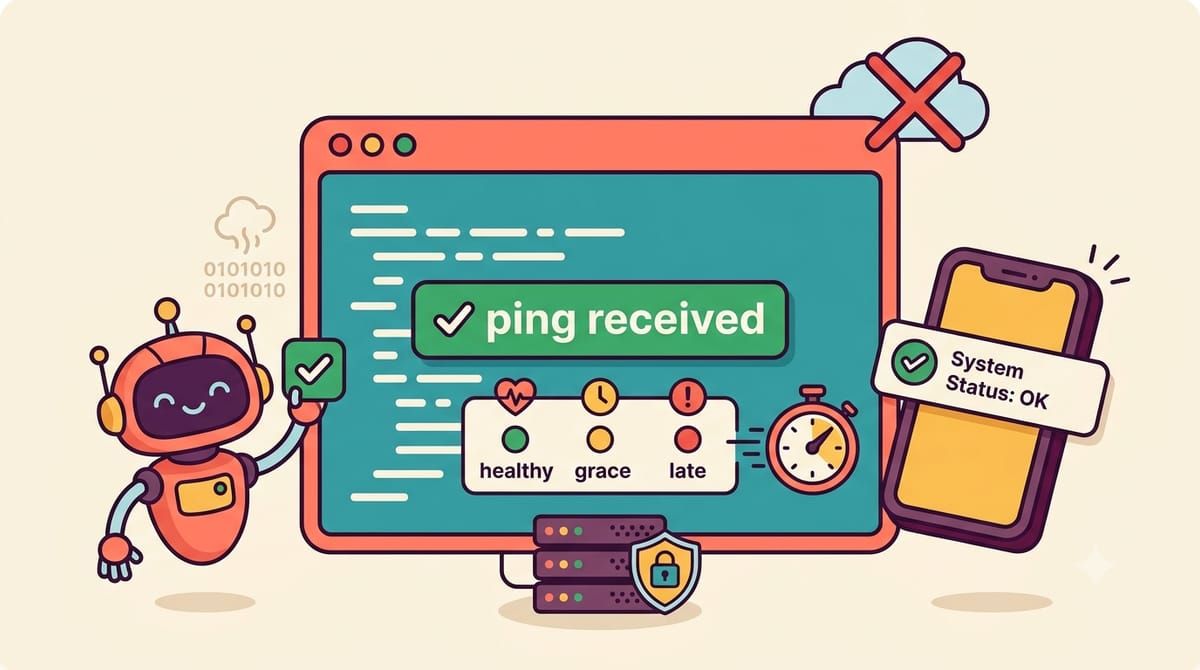
The fix is a pattern called a dead man’s switch, and Healthchecks is the open-source version of it, ten thousand stars, run it on your own server, and the idea inverts how you think about alerts. Instead of your script sending a message when it fails, your script sends a message when it succeeds, a single HTTP ping to a URL, and if the ping does not arrive by the time you said it should, Healthchecks decides something is wrong and alerts you, so silence becomes the alarm, which means a script that crashes before it can report its own failure still gets caught, because the absence of the check-in is the failure report.
Each check in the web interface gets a ping URL and a schedule, either simple period plus grace time or a cron expression matching the job, and wiring a job up is one line added to the end of whatever already exists.
docker compose exec webserver pg_dump -U paperless paperless | \
  gzip > /backups/paperless-$(date +%F).sql.gz && \
curl -fsS --retry 3 https://checks.yourdomain.com/ping/your-uuid-here
The curl only runs if the backup before it succeeded, the retry rides out a momentary network blip, and if the whole line never reaches the ping, the check goes late, then goes down, and my phone learns about it through ntfy along with email and every other integration the project supports. Checks can also report duration, so the graph of how long each backup takes over months is sitting right there, and a backup that slowly grows toward the maintenance window is a story the graph tells before it becomes an incident.
The compose file is the app and a Postgres database, and the env file carries the configuration.
services:
  db:
    image: postgres:17-alpine
    restart: unless-stopped
    volumes:
      - db-data:/var/lib/postgresql/data
    environment:
      POSTGRES_DB: healthchecks
      POSTGRES_USER: healthchecks
      POSTGRES_PASSWORD: use-a-real-password

  web:
    image: ghcr.io/healthchecks/healthchecks:latest
    restart: unless-stopped
    depends_on:
      - db
    ports:
      - "8000:8000"
    environment:
      SECRET_KEY: generate-a-real-secret
      DB: postgres
      POSTGRES_DB: healthchecks
      POSTGRES_USER: healthchecks
      POSTGRES_PASSWORD: use-a-real-password
      POSTGRES_HOST: db
      SITE_ROOT: https://checks.yourdomain.com
      SITE_NAME: Homelab Checks
      SUPERUSER_EMAIL: [email protected]
      SUPERUSER_PASSWORD: use-a-real-password-too

volumes:
  db-data:
The superuser variables create your admin account on first boot, SITE_ROOT has to be the real public URL because every alert link and every ping URL is built from it, and getting that wrong means notifications that point at localhost, which I know because mine did. The SECRET_KEY signs sessions so generate it properly, and behind Caddy the whole thing picks up HTTPS like every other service in the stack.
The habit I settled into is one check per job, named after the thing it watches, with the ping line pasted at the end of every script that matters, and the discipline took an afternoon because there were only nine of them, backups and cert renewals and the n8n sync and the disk usage report. The six-week hole in my backups would have been a six-hour gap with this in place, and the quiet mailbox on the server finally has nothing to say because nothing fails silently anymore, the jobs check in, and when one of them does not, the silence is loud.
If silence should mean something in your homelab, subscribe to the newsletter.