For years my server knew things and had no way to tell me. The backup finished at 3 a.m., the disk crossed ninety percent, a certificate was about to expire, a price dropped on something I had been watching, and all of that information went into log files that nobody read, because the only channels I had for urgent messages were email, which is where notifications go to die, and the paid push services, which wanted an account and a subscription and permission to stand between my hardware and my pocket.
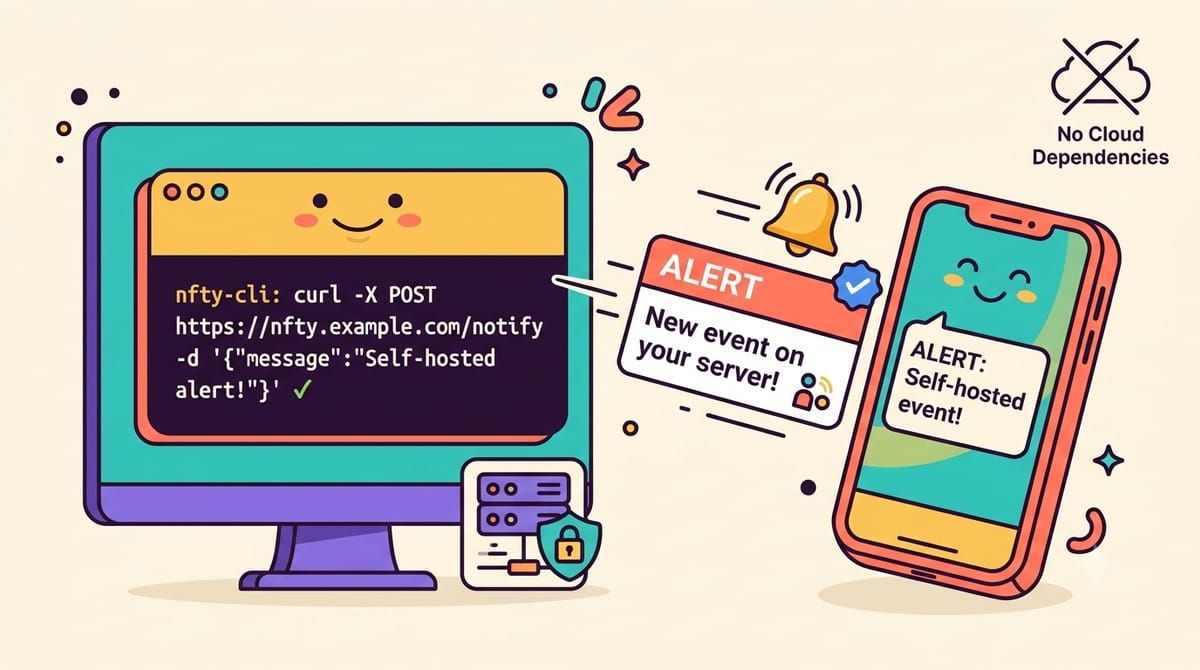
ntfy collapses that whole arrangement into one idea, which is that a push notification is just an HTTP POST. You send a message to a topic on a server, and every device subscribed to that topic gets it, instantly, with a title and a priority and tags and even file attachments if you want them. The whole thing is a single Go binary written by one person, thirty-four thousand stars on GitHub, an Android app and an iOS app and a web app, and you can run the server yourself on a container smaller than most of the images in my stack.
The daily use looks like this, and once you have it you will find excuses to use it everywhere.
curl -d "Backup completed in 14 minutes" \
  -H "Title: Nightly backup" \
  -H "Tags: white_check_mark" \
  -H "Priority: high" \
  -u phil:yourpassword \
  https://ntfy.yourdomain.com/backups
That line runs at the end of my backup script, and my phone buzzes before the screen has unlocked. Uptime Kuma has a native ntfy notification type, n8n can post to it over a plain HTTP node, Home Assistant has an integration, and changedetection.io and Healthchecks both speak it directly, which makes ntfy the last mile for half the services this blog has already covered. Anything that can make an HTTP request, and that is everything, can now reach you.
The compose file is one service with no database and no sidecar, and the only decisions worth making are auth and the cache.
services:
  ntfy:
    image: binwiederhier/ntfy
    restart: unless-stopped
    command: serve
    ports:
      - "2586:80"
    volumes:
      - ./ntfy-data:/var/lib/ntfy
    environment:
      NTFY_BASE_URL: https://ntfy.yourdomain.com
      NTFY_CACHE_FILE: /var/lib/ntfy/cache.db
      NTFY_AUTH_FILE: /var/lib/ntfy/auth.db
      NTFY_AUTH_DEFAULT_ACCESS: deny-all
      NTFY_BEHIND_PROXY: "true"
      NTFY_ATTACHMENT_CACHE_DIR: /var/lib/ntfy/attachments
      NTFY_ENABLE_LOGIN: "true"
      NTFY_UPSTREAM_BASE_URL: https://ntfy.sh
The cache file keeps messages for twelve hours by default so a phone that lost signal in the metro can catch up later, the attachment directory lets you send files along with alerts, and putting it behind Caddy gives you HTTPS the same way every other service in the stack gets it. Auth matters more here than on most services, because on an open ntfy server the topic name is effectively the password, anyone who guesses backups can read your alerts, so the deny-all default plus one admin user is the right shape for a private instance.
docker compose exec ntfy ntfy user add --role=admin philRun that once, set a password, log in from the Android or web app, and subscribe to your topics. Per-topic permissions come from the same user database, so I gave my backup script its own user that can only write to the backups topic, which means a leaked credential from that one script cannot read anything else.
Two gotchas cost me an evening between them. If you run behind a proxy and forget the behind-proxy flag, ntfy rate limits every visitor as one visitor because they all share the proxy IP, and you will hit mysterious 429s the first time a few scripts fire at once. And the iOS story is worth understanding before you promise anything to an iPhone user, because Apple only lets notifications arrive through their push relay, so your server sends a wake-up hint to ntfy.sh, which taps the app through Apple’s infrastructure, and the phone then pulls the actual message content from your server, so the payload still never leaves your hardware but the wake-up does. Android has no such constraint if you install the app from F-Droid, which skips Firebase entirely and talks straight to your server.
I have topics for backups and disk alerts and package deliveries and a door sensor and one that just tells me when a long render finishes, and the total infrastructure cost is one small container and a DNS record. Pushover charged for the app and Pushbullet wanted an account in the middle, while this is a POST request away forever, running on the same server that produced the news in the first place.
If your server knows things your phone should know, subscribe to the newsletter.