I have been thinking about how much of my writing actually starts in my mouth, because I type fast but I think faster and for years the gap between the two has meant that ideas show up fully formed and then slip away while my fingers catch up. So when I started dictating first drafts a while back it felt like finally using a tool that had been sitting in the drawer the whole time, and what stopped me from committing to it was where the audio went, since every dictation app I tried wanted to ship my voice off to a server and transcribe it there, which means the most personal thing I can say into a microphone gets processed by machines I have no control over.
Your voice is one of the most identifying signals you have, a kind of biometric you cannot fake, and yet we have normalized uploading it to companies that keep it indefinitely and train their models on it. The dictation tools that got popular in the last few years are almost all closed-source and subscription-based, with word limits and monthly fees and accounts that tie your speech to a vendor’s business model, so the whole category felt like it was working against the people who need it the most.
Handy changed my mind because it inverts that whole arrangement, a free and open-source speech-to-text application that runs entirely on your own computer, MIT licensed, completely free of accounts and word limits and subscriptions, with nothing in the pipeline that ever touches the cloud. It was built by a developer named CJ Pais after a finger injury made typing painful, which explains a lot about why the app cares about the details that matter, because accessibility software written by someone who actually needed it tends to get the small things right. The project has collected more than twenty-eight thousand stars on GitHub, a staggering number for a desktop utility, and it runs on macOS and Windows and Linux, which is nearly unheard of in this corner of software.
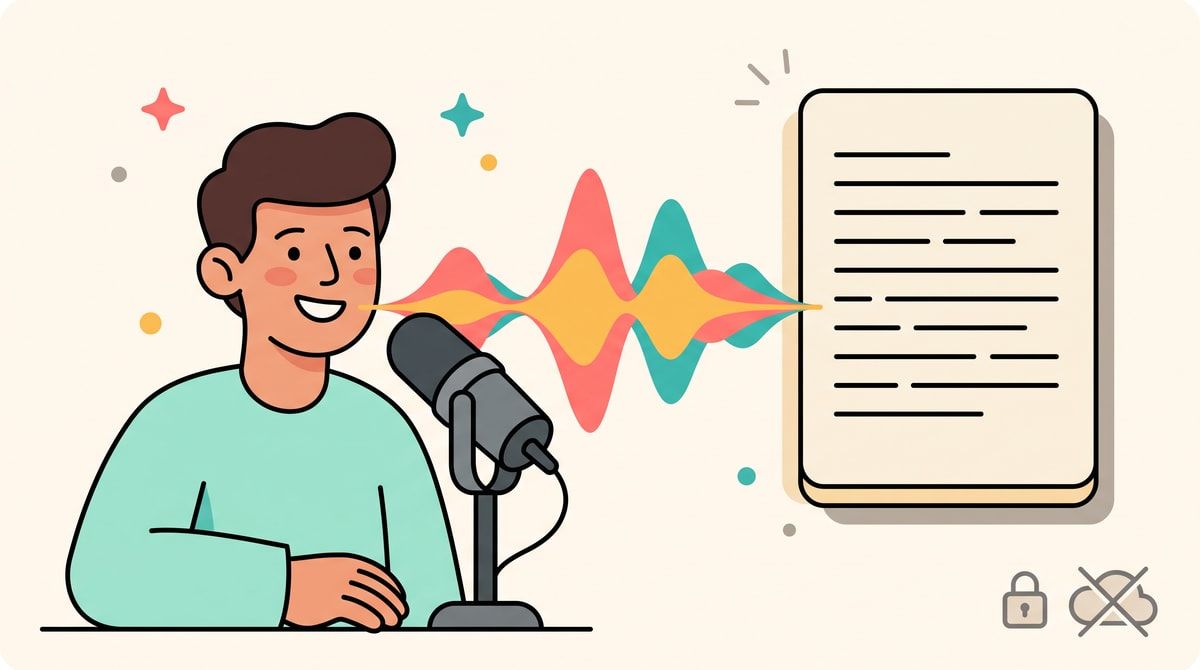
The workflow is the simplest possible version of the idea and that is the whole point. You press a keyboard shortcut, speak, and let go, and Handy transcribes what you said and pastes it straight into whatever text field has focus, an email in your browser or a terminal or a chat window or a document, anywhere your cursor happens to be. You can hold the key to talk or tap it to toggle recording on and off, the key binding is configurable, and a small overlay lights up while you are recording so you always know the state of things. On first launch you grant microphone and accessibility permissions, the accessibility part being what lets the app type into other applications, and then it just lives in your menu bar or system tray, waiting.
The models are where Handy gets genuinely exciting, because you get to pick what runs under the hood and swap it like changing a theme. The Whisper family from OpenAI gives you Small, Medium, Turbo, and Large variants that lean on your GPU when you have one, and then there is NVIDIA’s Parakeet, which is the one that won me over because it is built to run on the CPU alone and still transcribes about five times faster than real time on a mid-range processor. Parakeet V3 auto-detects the language you are speaking so you do not have to switch anything when you move between languages, and the README says a sixth-generation Intel chip or newer is enough, which means the app makes sense on hardware that would choke on a big language model. There is Moonshine in the model picker too, and support for custom GGML and GGUF models, so if you have a fine-tuned Whisper model sitting on Hugging Face you can drop it into the models folder and Handy finds it on the next launch. Voice activity detection from Silero trims the silence around your words, so the model is transcribing your speech and nothing else.
All of that happens locally, which is the part that matters most to me and probably to you if you found your way to a blog about self-hosting. Nothing is uploaded while you dictate, the audio never leaves your machine, and you can verify that claim by reading the source, a kind of trust a closed app simply cannot offer. Handy even lets you download the model files manually into its data directory, a niche detail that turns out to mean the whole thing works behind proxies and firewalls and on machines that have never touched the internet.
It is version zero software, so there are rough edges and I would be lying if I pretended otherwise. Transcription takes a couple of seconds after you release the key rather than streaming word by word, the first word of a long recording occasionally gets clipped, and the Whisper models are known to crash on certain Windows and Linux configurations, a problem the project documents honestly in its README. Parakeet is the safe default because of this, and on Linux under Wayland you may need a small helper like wtype so the app can type into other windows. These are the caveats you accept with free software that is being built in public, and they feel reasonable next to an app that costs nothing and holds nothing hostage.
Handy fits the spirit of self-hosting even though you install it on a laptop rather than a server, because it is the same philosophy applied at a different scale, software that lives on hardware you own and works because you decided to keep control. I dictate a lot of my first drafts now and my writing is faster for it, and I do not think about where my voice goes anymore because it stays exactly where it should.
If you want more posts about keeping your data and your voice out of the cloud, subscribe to the newsletter.