I Stopped Paying Calendly $16 a Month and Hosted My Own Scheduler
troysk
May 30, 2026 · 2 min read
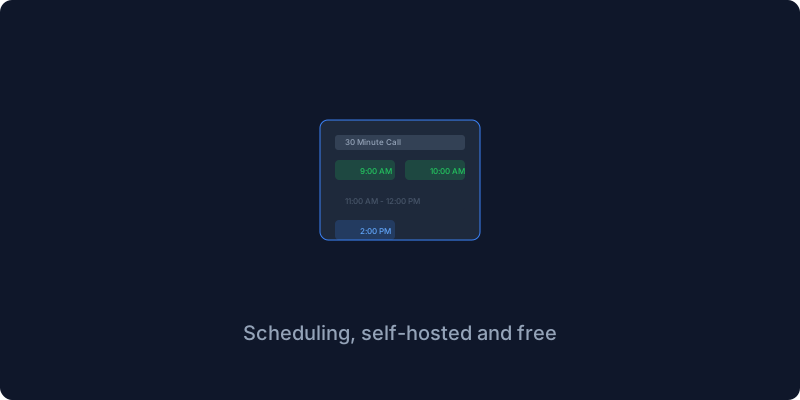
Calendly is one of those software-as-a-service products that feels essential because you send someone a link and they pick a time and it appears on your calendar like magic, but thirteen hundred rupees a year for a scheduling link is more than I pay for my domain. Cal.com is the open-source alternative that does everything Calendly does and more, for free, on your own server.
The core concept is the same. You create booking links with different durations and configurations, people visit the link and pick from your available slots, it syncs with your calendar so you never double-book, and you get reminders before meetings. Cal.com includes features that Calendly charges extra for like team scheduling and workflows and custom domains and API access.
Cal.com needs Postgres and Redis to run, so the setup has three services in the compose file. You set environment variables for the database URL and Redis URL and authentication secret and your Cal.com domain, run docker compose up, wait for the database migrations to finish which you can monitor through the logs, open the port, and create your account.
The most important step is connecting your calendar because Cal.com is useless without calendar sync. It supports Google Calendar and Outlook Calendar and Apple Calendar and CalDAV which is what I use pointing at my Nextcloud instance. Events sync both ways so when someone books a time it appears on my calendar and when I add an event to my calendar Cal.com knows I am busy.
Creating an event type is straightforward. You give it a name and duration and location and set your availability hours. Cal.com generates a booking link that you send to anyone, they pick a time, it books, you get notified. The flow is identical to Calendly and nobody notices the difference.
The workflows feature is what Calendly charges extra for. You can send reminder emails and follow-up messages and feedback forms on configurable triggers without any limits. I have a workflow that sends a WhatsApp message through a webhook to n8n fifteen minutes before a call, and my clients get a reminder that has eliminated no-shows entirely.
Calendly is a great product but the monthly cost for a scheduling link does not make sense when Cal.com exists and does everything the paid Calendly plans do plus features from their more expensive tiers.
If you like what you read do subscribe to the newsletter for more self-hosting productivity tools.
Get New Articles
Weekly guides on self-hosting, privacy, and infrastructure.
No spam. Unsubscribe anytime.