The moment I stopped trusting cloud cameras was the evening my internet dropped for six hours and the three cameras watching my house turned into three plastic eyes that recorded nothing, and when the connection returned the app wanted a credit card, because the motion alerts I had been taking for granted were sitting behind a subscription that costs more per year than the camera itself. Every clip from my own driveway lived on somebody else’s server, viewable only through their app, deletable by their retention policy, and scannable by whatever their terms of service allowed, which is a strange arrangement for the devices whose entire job is to watch the most private approaches to my home.
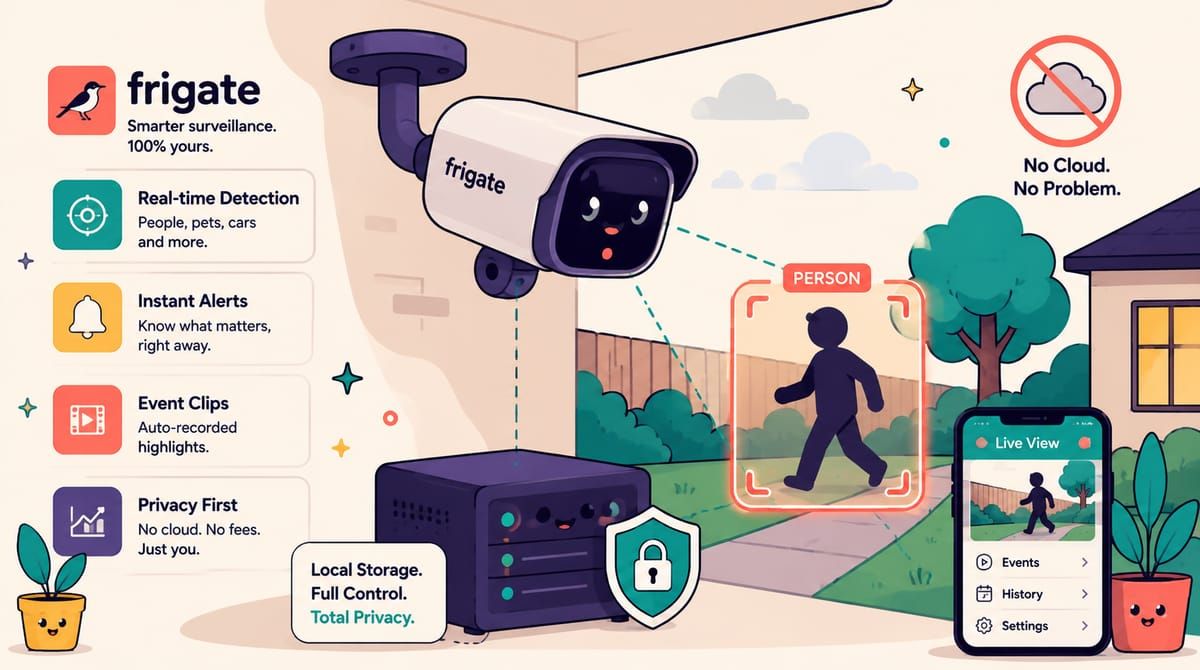
Frigate inverts the arrangement completely, a thirty-six thousand star open-source NVR that plugs into plain RTSP cameras, records everything to your own disk, and runs real-time object detection on the video, so the alert says person at the front gate and not motion detected, which is the difference between checking your phone and ignoring it. It knows people and cars and cats and package delivery shapes, it draws zones so the street outside your fence stops generating alerts, it clips the thirty seconds around every event instead of making you scrub hours, and it talks to Home Assistant, so the porch light comes on when a person walks up after dark.
The hardware story is friendlier than people expect, because the detection does not need a GPU. The Intel iGPU in an N100 mini PC runs OpenVINO detection comfortably alongside everything else in my stack, a Google Coral USB stick is the classic accelerator if you have one, and plain CPU mode works for one or two cameras if you keep the detection stream small. The cameras matter more than the computer, any wired RTSP camera works, Reolink and Tapo and Hikvision all speak it, and the one rule is to avoid cameras that only reach the internet through a vendor cloud, because those cannot be pointed at your own server no matter how much you want them to.
The compose file is one container plus a config file, and the two volumes split your settings from your recordings.
services:
  frigate:
    image: ghcr.io/blakeblackshear/frigate:stable
    restart: unless-stopped
    shm_size: "256mb"
    ports:
      - "8971:8971"
      - "8554:8554"
    volumes:
      - ./frigate-config:/config
      - ./frigate-media:/media/frigate
    tmpfs:
      - /tmp/cache
The config volume holds config.yml and the database, the media volume holds recordings and snapshots and grows with your retention settings, and the tmpfs is where Frigate buffers frames during detection, which is why the shared memory size matters, too small and the container crashes under load in a way that took me two restarts to diagnose. Port 8971 is the authenticated web interface, port 8554 restreams camera feeds over RTSP for other tools to consume.
The camera config is where the thinking goes, because Frigate wants two streams per camera, the high-resolution main stream for recordings and a low-resolution substream for detection, since detecting objects at 720p is fast and accurate while detecting at 4K is a waste of everything.
mqtt:
  enabled: false

detect:
  width: 1280
  height: 720
  fps: 5

cameras:
  front_gate:
    ffmpeg:
      inputs:
        - path: rtsp://camera-user:[email protected]:554/stream1
          roles: [record]
        - path: rtsp://camera-user:[email protected]:554/stream2
          roles: [detect]
    zones:
      approach:
        coordinates: 0.7,0.3,0.7,0.9,0.05,0.9,0.05,0.3
That is the whole camera definition, one input for recording at full quality, one for detection at detection-friendly size, and a zone polygon that tells Frigate which part of the frame to care about, which is how my alerts stopped including every pedestrian on the footpath. The detector gets its own config section, openvino with the Intel device for my setup, and from there the interface shows a grid of live feeds with detection boxes drawn in real time, which is genuinely the part that makes visitors ask what I am running.
The gotchas I collected in my first month, H.265 cameras record beautifully but will not play in most browsers, so either pick H.264 cameras or let the embedded go2rtc transcode a compatible stream, motion zones and object masks are two different tools and you usually want both, and detection at five frames per second is plenty because objects move slower than the internet thinks. Recordings keep themselves trimmed by retention rules, continuous for a week and event clips for a month in my config, all of it on a disk I can rsync.
The cloud cameras went on the classifieds the week Frigate proved itself, and the money they would have charged me this year bought the extra hard drive that holds the footage instead. The alerts arrive through ntfy like everything else in the house, the clips play from a URL I own, and the only machine that has ever seen who walks up to my gate is the one sitting in the cupboard behind it.
If your front door should not carry a monthly bill, subscribe to the newsletter.