The update ritual used to eat one evening every couple of weeks, and the ritual was always the same, ssh in, run docker compose pull against a stack of compose files I half remembered, watch which of the twenty-odd containers had new versions, restart them one by one, and then spend an anxious hour clicking through every service to make sure nothing had broken while I was feeling responsible. The worst part was knowing the whole chore existed because staying current is the cheapest security defense there is, every self-hosted service that gets popped in a disclosure usually has a patch that existed for weeks, and I was applying those patches by hand at the pace of a person with a day job.
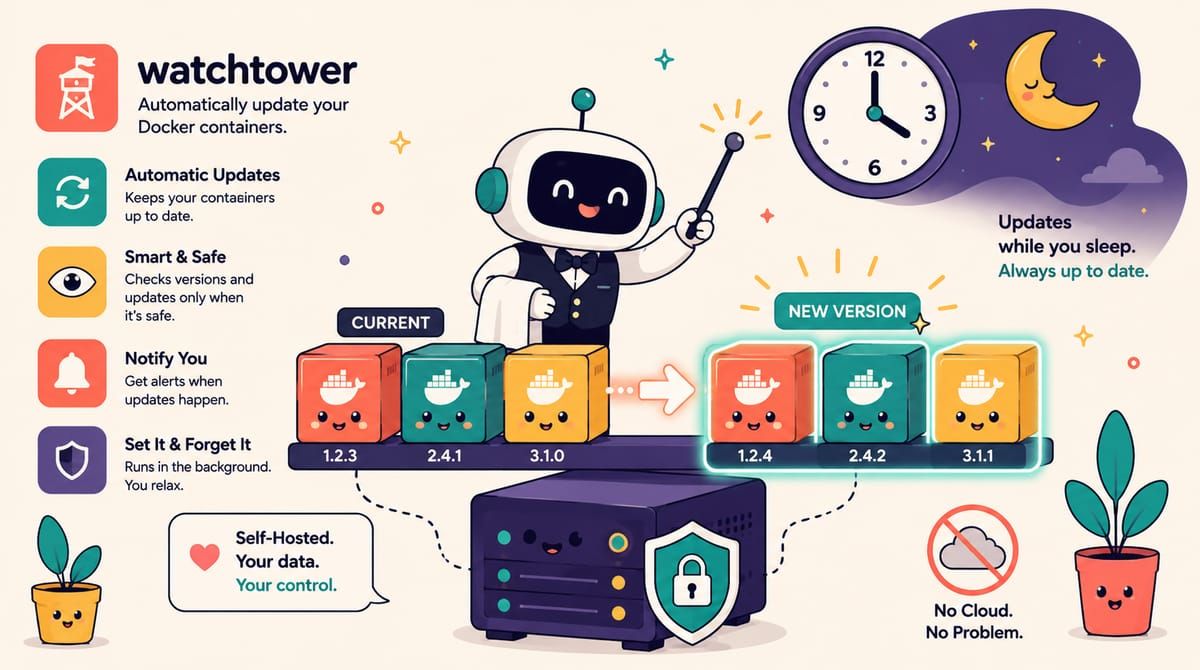
Watchtower is the robot for exactly this job, a container that watches the registries your other containers pull from, and when an image has a new version it pulls it, stops your container, and recreates it with the same ports and volumes and environment, which means the update happens the same way it would if you typed the commands, just without you. The original project by containrrr went unmaintained, and the community fork by Nicholas Fedor carries the flag now, actively patched and drop-in compatible, so that is the image to use, and the whole thing weighs less than most of the containers it manages.
The compose file is one service and one dangerous mount.
services:
  watchtower:
    image: nicholas-fedor/watchtower:latest
    restart: unless-stopped
    volumes:
      - /var/run/docker.sock:/var/run/docker.sock
    environment:
      WATCHTOWER_SCHEDULE: "0 0 4 * * *"
      WATCHTOWER_CLEANUP: "true"
      WATCHTOWER_NOTIFICATION_URL: ntfy://ntfy.yourdomain.com/updates
      TZ: Asia/Kolkata
The schedule is the decision that matters, and mine runs at four in the morning when nobody is awake to care about a thirty-second restart. The cleanup flag removes old images after updating so the disk does not fill with strata of abandoned versions, and the notification URL points at my ntfy instance, because an update system that works silently is indistinguishable from a broken one, so every morning something changed I get a message listing what moved.
That docker socket mount deserves a paragraph of respect rather than a mention, because the Docker socket is effectively root on your machine, anything that can talk to it can start a container with the host filesystem mounted, and handing that socket to Watchtower is a deliberate trade of attack surface for convenience. The mitigation is to understand what you mounted, Watchtower is a small Go binary with one job and a decade of scrutiny, keep the rest of the box hardened so the socket is not the softest thing on it, and if your threat model cannot tolerate the mount at all, the honest alternative is a cron job that runs docker compose pull and up -d against your stacks on the same schedule, which is Watchtower without the robot.
The gotcha that cost me an evening, Watchtower’s schedule is a six-field cron expression with seconds in front, so 0 0 4 * * * runs at four in the morning while the five-field 0 4 * * * that every cron tutorial taught you will fail in a way that looks like Watchtower simply never running. The second gotcha is philosophical, automatic updates and version pinning are opposites, and the services that break on upgrade are the ones where the maintainers expect you to read release notes, databases and Immich-style apps with migrations, so I exclude those with a com.centurylinklabs.watchtower.enable label set to false and update them deliberately, on my schedule, with a backup taken first, which is the discipline the automation is supposed to free you up to actually practice.
Rollback is the part that makes the whole thing brave instead of reckless, because with cleanup enabled the old image is gone and rollback means repulling, but leave cleanup off and the previous image stays on disk, so rolling back is re-tagging the old image and restarting, thirty seconds of work. I run cleanup on because my disk is finite and my stack is stable, and the notification tells me what changed, so when something misbehaves I know exactly which update to suspect.
The update evening is gone from my calendar, replaced by a four a.m. robot that patches the stack while the house sleeps, and the anxiety hour got replaced by a glance at a notification over breakfast. Staying current was always the right habit, the problem was that I was the loop, and now I am the exception handler.
If patching day should run while you sleep, subscribe to the newsletter.