Your Self-Hosted Server Will Die. Here Is How You Survive.
troysk
May 29, 2026 · 3 min read
My server died on a Tuesday. One day it was running and the next day it would not boot, disk failure, two terabytes of media and documents and photos gone because I thought I would set up backups next weekend and that weekend never came. I paid for that assumption with data I cannot replace, and I do not want you to make the same mistake.
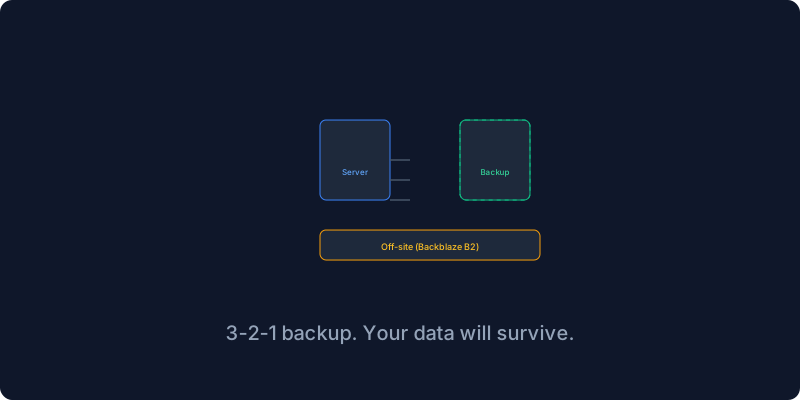
Every backup strategy worth anything boils down to the three-two-one rule. Three copies of your data, two different media types, one copy off-site. Your primary copy lives on your server’s SSD where you access it every day. Your second copy lives on a different drive in the same machine or on a network-attached storage device, so a single disk failure does not wipe you out. Your third copy lives somewhere else entirely, a different physical location, so a fire or theft or ransomware attack does not destroy everything.
Docker volumes are where your service data lives, Nextcloud and Jellyfin and Postgres and Vaultwarden all store their data in Docker volumes, and backing up a volume is surprisingly straightforward. You run a temporary container that mounts the volume and creates a compressed archive of its contents, writing the archive to a backup directory on your host. I wrap this in a script that runs daily via cron, iterating over each of my important volumes and creating timestamped archives, and the cleanup step keeps only the last thirty days so disk usage stays under control.
Databases need special treatment because backing up the volume is not enough if the database has unflushed writes in memory. You use the database’s native dump tool instead, running pg_dump for Postgres or mysqldump for MySQL, which produces a consistent snapshot that can be restored reliably. I run database dumps daily and also before any major update, because if an update breaks something I can roll back the database in thirty seconds. I learned this lesson after a Nextcloud update corrupted my calendar data.
Local backups protect against disk failure but they do not protect against fire or theft or ransomware, which is why off-site backups matter. Restic is my go-to tool for this, it is fast and encrypted and supports multiple backends including Backblaze B2 and S3 and SFTP. Your data is encrypted with AES-256 before it leaves your server using a password only you know, so not even the cloud provider can read your files. The first backup transfers everything and might be a hundred gigs, but subsequent backups only upload the changed data which is usually a few megabytes. My entire off-site backup costs about twenty cents a month on Backblaze B2.
The uncomfortable question is when was the last time you actually restored from backup. If the answer is never then you do not have a backup, you have a hope. I test my backups monthly by restoring to a temporary directory and comparing the files with the originals. The first time I ran this test I discovered my backup script had been silently failing for a month because the log file was being overwritten without reporting errors. That was a scary ten minutes but I fixed the script and now I verify every month.
Since implementing this strategy I have had two disk failures and restored both times without losing anything. The first restore took two hours because I was rusty, the second took thirty minutes because I had practiced. Your server will fail, it is not a matter of if but when, and a backup strategy is not overhead but insurance. Set it up this weekend and not next weekend.
If you have thoughts on this do email me or subscribe to the newsletter for more self-hosting infrastructure advice.
Get New Articles
Weekly guides on self-hosting, privacy, and infrastructure.
No spam. Unsubscribe anytime.