I Put a Server in My Closet and Ditched the Cloud
troysk
May 13, 2026 · 3 min read
I hosted my services on cloud VPS for years, renting from Hetzner and DigitalOcean and Linode, and it worked fine until the bill hit sixty dollars a month for a handful of Docker containers. Then I built a machine with a refurbished Intel i3 8th gen and 32 gigs of RAM in a Mini ITX cabinet, popped it on a shelf in my closet, and six months later my monthly hosting cost is just the electricity to run it. Cloudflare Tunnel makes my closet server feel indistinguishable from a cloud datacenter.
The numbers are hard to ignore. A cloud VPS with four virtual CPUs and eight gigs of RAM costs about forty to sixty dollars a month. A refurbished i3 8th gen with 32 gigs of RAM in an ITX case can be built for under two hundred dollars one time and costs maybe five dollars a month in electricity. After three months it pays for itself and after a year you are six hundred dollars ahead. The catch is that your ISP gives you a dynamic IP which changes whenever your router reboots, and that would break all your DNS records if you did not have Cloudflare Tunnel.
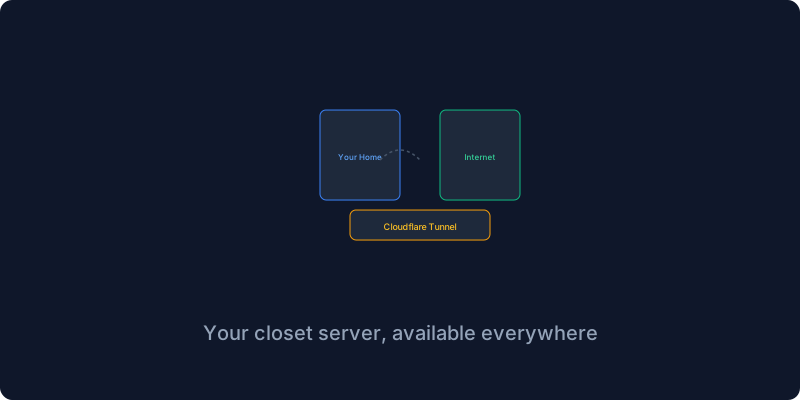
Cloudflare Tunnel creates an encrypted tunnel from your home server to Cloudflare’s edge network so traffic flows from the user to Cloudflare to the tunnel to your server. Your server initiates the outbound connection which means no open ports on your router and no static IP needed, and even if your IP changes the tunnel stays up because your server maintains the connection from the inside.
You do not need a rack server for this. I use a refurbished Intel i3 8th gen in a Mini ITX cabinet with 32 gigs of RAM that handles twenty-plus Docker containers including Jellyfin transcoding without issues. A Raspberry Pi five costs eighty dollars and works for lightweight services but the limited RAM restricts heavier workloads. An old desktop you already own costs nothing upfront and is a great way to start.
Setting up the tunnel involves running the Cloudflare client in a Docker container to authenticate with your domain and create a tunnel. You generate a credentials file and write a configuration YAML that maps each hostname to your local service URL. Then you route DNS to the tunnel by creating CNAME records that point each subdomain to your tunnel ID, and Cloudflare handles the rest.
Security considerations include Cloudflare Access which adds single sign-on authentication in front of any service for free, unattended upgrades that keep your operating system patched automatically, backing up your tunnel credentials because without them you lose access to your server, and Watchtower for automatic Docker container updates.
Home hosting is not for everyone because you need a decent ISP with stable uptime and basic Linux comfort and a willingness to own the problem when something breaks. But for those who take the leap the payoff is faster local access and zero monthly bills and the satisfying hum of a server you physically own.
Subscribe to the newsletter to keep getting similar posts about self-hosting infrastructure.
Get New Articles
Weekly guides on self-hosting, privacy, and infrastructure.
No spam. Unsubscribe anytime.