Syncthing: The Best Way to Sync Files Without a Cloud Server
troysk
May 23, 2026 · 3 min read
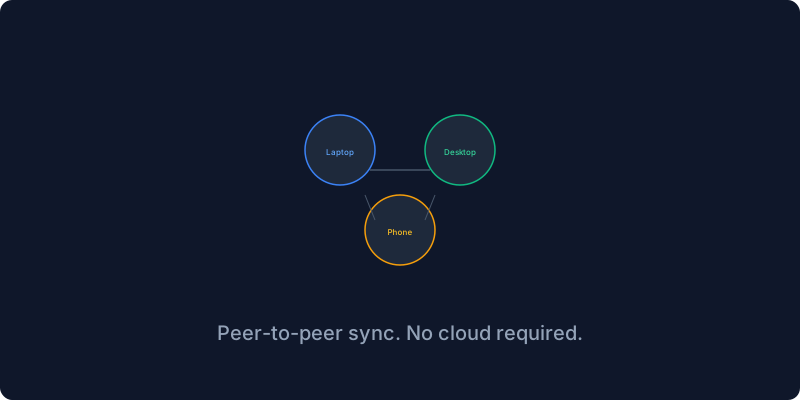
I have files on my laptop and files on my desktop and files on my phone and I need them all in sync, and Dropbox wants eight hundred rupees a year for two terabytes and Google Drive scans my files and iCloud only works on Apple devices. Syncthing is the alternative that nobody talks about but everyone should use because it is peer-to-peer file sync with no cloud server and no middleman, your devices talk to each other directly over an encrypted connection, and it has eighty-three thousand GitHub stars and has been battle-tested for years.
The difference between Syncthing and traditional cloud sync is fundamental. Dropbox and Google Drive work by uploading your file to their servers and then downloading it to your other devices, which means your data passes through their infrastructure and they have access to it. Syncthing works by sending your file directly from one device to another over a direct encrypted connection, so no data passes through any third-party server. If your devices cannot connect directly because of NAT or firewalls, Syncthing uses relay servers that can see encrypted traffic but cannot decrypt it.
The Docker setup exposes several ports for the web UI and for direct file transfers. You run the compose file, open the web UI on port 8384, set a username and password for the interface, and then install Syncthing on your other devices. The desktop app is available from syncthing dot net, the Android app is on F-Droid or Google Play, and iOS users can use Möbius Sync which is a third-party client that works well.
Connecting devices requires exchanging device IDs, which are long strings that act as cryptographic identifiers. You add a remote device in the web UI, enter the device ID of your other machine, and both devices must accept the connection request. It is a handshake rather than an open door, and once connected you see a green checkmark next to the device name. The first time I saw two devices connect and start syncing without any cloud service I felt like I was in the future.
Sharing folders is as simple as creating a folder on one device and selecting which other devices to share it with. The other device sees the share invitation and accepts it, and the sync starts immediately. I have my Documents folder synced between my laptop and desktop and server, my Obsidian vault shared between all three plus my phone, and my SSH keys synced between my machines so I never have to copy them manually again.
File versioning is built into Syncthing and you should enable it because it saves you from yourself. When you enable Trash Can File Versioning with a thirty-day retention period, deleted files are kept in a hidden dot-stversions folder instead of being permanently removed. I deleted an important document once and thought it was gone forever until I found it in the dot-stversions folder.
Syncthing is for syncing between your own devices while Nextcloud is better for sharing files with other people. I use both and they complement each other perfectly, Syncthing for the seamless device-to-device sync and Nextcloud for sharing folders with collaborators and accessing files from a web browser.
This is one of those tools that quietly works for years and you forget it is there, and then one day you edit a file on your laptop and it appears on your desktop ten seconds later and you remember how good it is. No cloud, no subscription, no trust required.
If you like what you read do subscribe to the newsletter for more self-hosting recommendations.
Get New Articles
Weekly guides on self-hosting, privacy, and infrastructure.
No spam. Unsubscribe anytime.