Your Own Google Drive: Nextcloud All-in-One in 15 Minutes
troysk
May 22, 2026 · 3 min read
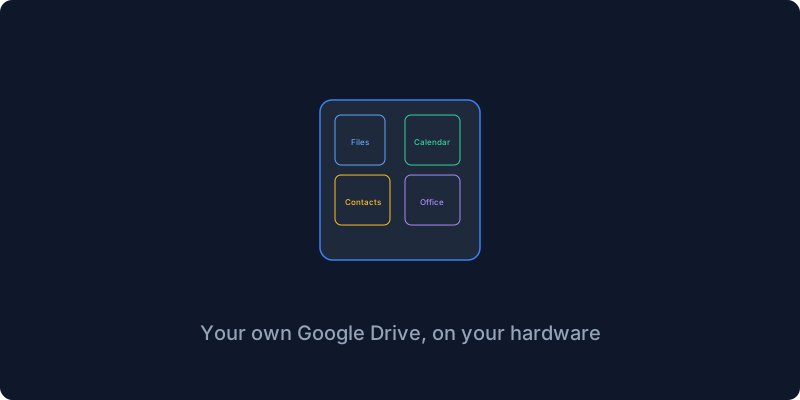
Google Drive gives you fifteen gigs free and then they want a hundred and thirty rupees a month for a hundred gigs and they scan your files while they are at it. I got tired of the storage full notifications and the privacy concerns and I replaced it all with Nextcloud, files and calendar and contacts and office documents and video calls, one server and one install and all my data under my control.
Nextcloud offers multiple installation methods and the All-in-One approach is the way to go in 2026. It packages Nextcloud with everything it needs including Postgres database and Redis cache and Collabora Office for document editing and Talk server for video calls and a backup solution, all in one command that takes about fifteen minutes. The old way involved setting up each component manually and debugging why the connection between them failed, and I spent three days on that once.
The prerequisites are a domain name pointing to your server, ports eighty and four forty-three accessible from the internet, Docker installed, and a reverse proxy if you want to use one. Nextcloud AIO handles SSL internally so your reverse proxy just needs to forward traffic to it. You download the compose file from the Nextcloud repository, edit it to set your domain and data directory, run docker compose up, and wait for all the containers to start. When you open your domain you see the AIO setup interface where you enter your domain and create an admin password, and Nextcloud configures itself automatically.
What you get is a fully functional cloud suite. Files with auto-upload from your phone, calendar with CalDAV sync, contacts with CardDAV sync, email through the built-in Mail app, office documents through Collabora Online that runs in the browser with real-time collaboration, video calls through Nextcloud Talk, photo management through the Memories app, and notes through the Notes app. All accessible from the web UI and mobile apps.
The calendar and contacts sync is the feature that sold me on Nextcloud because it replaces Google Calendar and Google Contacts with something I control. My phone syncs calendar and contacts directly to my Nextcloud server using CalDAV and CardDAV, which are standards that every major platform supports. On Android I use DAVx5 from F-Droid and on iOS I add a CalDAV account in settings. My calendar is now on my server and I share calendars with my family including a shared dinner plans calendar that everyone can edit.
Nextcloud does everything but it does not do everything perfectly, and knowing when to use Nextcloud versus a dedicated service is part of the self-hosting journey. I use Nextcloud for file storage and calendar and contacts, Immich for photo management because its machine learning and mobile app are better, Navidrome for music because it is lighter and has better clients, and Jellyfin for video because it is dramatically better at streaming media. Nextcloud is not the best at any single thing but it is the only tool that does files and calendar and contacts and office and video calls and notes in one package.
If you want one server that replaces Google Drive and Google Calendar and Google Docs, this is it. The All-in-One installer makes it painless and you can be up and running in fifteen minutes.
Subscribe to the newsletter to keep getting similar posts about building your own cloud infrastructure.
Get New Articles
Weekly guides on self-hosting, privacy, and infrastructure.
No spam. Unsubscribe anytime.