Your Self-Hosted Setup Without Monitoring Is Just Hope
troysk
May 16, 2026 · 3 min read
I used to think my services were up all the time because nobody told me otherwise, and then I talked to a friend who said your site was down yesterday and I had no way to verify. No logs, no alerts, no dashboard, just blind faith that computers do what they are told, which anyone who has worked with computers for more than a week knows is a dangerous assumption. Computers do not do what they are told, they do what you check, and if you are not checking they are probably failing in ways you do not know about.
Uptime Kuma is the tool that solved this for me. It is a self-hosted monitoring tool that pings your services every minute and alerts you when something breaks, and it has eighty-six thousand GitHub stars for a reason. There are many monitoring tools out there, Prometheus is powerful but you need a degree in observability to configure it, Grafana is beautiful but you need Prometheus feeding it, Nagios is ancient and looks like it. Uptime Kuma is the opposite, one Docker container with a web UI that takes five seconds to set up, support for ninety-plus notification integrations, and the ability to generate public status pages you can share with anyone.
The setup is a single compose file with one service and one volume. You run docker compose up, open port 3001, create an admin account, and you are monitoring zero things. The first monitor you add is the most satisfying. You click Add Monitor, select HTTP as the type, give it a name and URL, set the interval to sixty seconds with three retries so a single hiccup does not trigger an alert, and click Save. Uptime Kuma starts pinging that URL and shows you a green checkmark if it is up or a red X if it is down. The dopamine hit of seeing all green is real and I will not pretend otherwise.
A green dashboard is nice but alerts are what actually save you. In the settings you connect a notification service, Telegram or Discord or email or Pushover or any of the other options. I use Telegram and the setup takes three minutes. Create a bot, get a chat ID, paste them in, and now when a service goes down at three in the morning my phone buzzes. These days everything stays up so the bot is quiet, but when it buzzes I know it is real.
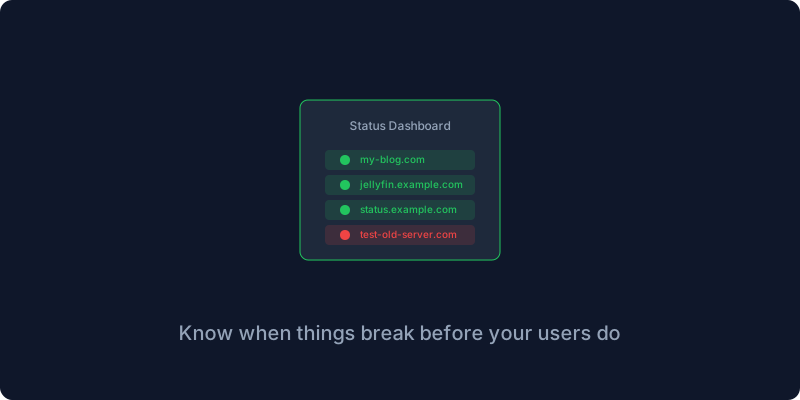
The status page feature is my favorite because it makes you look professional even when things are on fire. Uptime Kuma generates a public page that shows the live state of your services, and you share it with anyone who asks whether your site is down. I have mine at status.my domain and it shows the live state of my blog and my Jellyfin server and my Cloudflare tunnel and my NAS.
Here is something nobody tells you about monitoring. Most services fail because the disk is full, not because the software crashed. Logs accumulate, databases grow, temporary files pile up, and one day your service cannot write to disk and it goes down silently. Uptime Kuma can detect this indirectly because a service that cannot write to disk will start returning five-hundred errors, but the real solution is to add a cron job that deletes old Docker logs and keeps your disk usage under control. I learned this after waking up to a full disk at two in the morning.
Monitoring is the difference between finding out your site is down from a user and finding out your site was down for three minutes at four in the morning and already fixing it before anyone noticed. Install Uptime Kuma, add your services, set up alerts, and your future self will thank you when something breaks at midnight and you get a notification instead of hearing about it from a customer.
Give me your email and I will give you self hosting tips drawn from years of running production servers.
Get New Articles
Weekly guides on self-hosting, privacy, and infrastructure.
No spam. Unsubscribe anytime.